
As Making Tax Digital for Income Tax (MTD for ITSA) approaches, self-employed individuals and landlords are being told they must keep “digital records.”
For many, this raises an immediate, practical question: If I use software or a spreadsheet to record my income digitally, does that mean I can throw away my paper receipts and invoices?
The short answer is no. Keeping digital records for MTD and retaining supporting tax records are two separate obligations. Understanding the difference between the two is essential for staying compliant with HMRC, avoiding penalties, and surviving a potential tax enquiry.
What Are MTD Digital Records?
A digital record is the transaction data you enter into your MTD-compatible software or spreadsheet.
Under MTD rules, whenever your business earns money or incurs an allowable expense, you must record specific details about that transaction digitally before your quarterly update deadline.
HMRC requires your digital records to include:
- The amount of the transaction
- The date the income was received or the expense was incurred
- The category of the transaction (e.g., travel costs, property repairs, office equipment)
These digital records form the basis of the quarterly updates that your software (or bridging software) totals up and sends directly to HMRC.
What Are Normal Tax Records (Supporting Evidence)?
Normal tax records—often referred to as supporting evidence—are the original documents that prove your digital records are true and accurate.
If HMRC ever checks your tax return, they will not just look at your digital spreadsheet entries. They will want to see the underlying proof that those transactions actually took place and were for legitimate business purposes.
Supporting evidence includes:
- Invoices issued to clients
- Till receipts for business purchases
- Supplier invoices
- Bank and credit card statements
- Lease agreements (for landlords)
- Mileage logs for business travel
The Key Difference Between Digital Records and Supporting Evidence
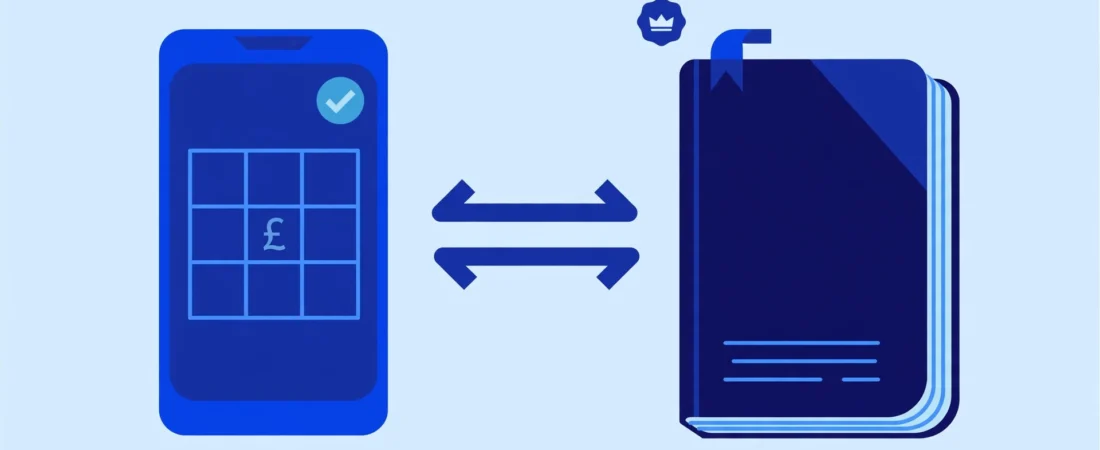
The easiest way to understand the difference is: Digital records report what happened; supporting evidence proves it actually happened.
| Record type | Purpose | Digital MTD record? | Supporting evidence? | Example |
| Transaction Data | To calculate totals for your MTD quarterly update. | Yes (Date, Amount, Category). | No. | Entering “12/08/2026 – £45.00 – Travel” into your spreadsheet. |
| Receipt / Invoice | To prove the transaction is real and the amount is accurate. | No. | Yes. | The physical train ticket or email receipt for the £45.00 journey. |
| Bank Statement | To reconcile your accounts and show money entering/leaving. | No (a bank feed alone is not a complete digital record). | Yes. | Your monthly PDF bank statement. |
Do Digital Records Replace Receipts and Invoices?
Absolutely not. Typing a £500 expense into your MTD software does not mean you can discard the receipt for that expense.
Can I keep paper receipts?
Yes, you can keep your original paper receipts in a physical folder or filing cabinet. As long as you retain them for the legally required timeframe, HMRC accepts paper evidence.
Can I scan receipts and keep digital copies?
Yes. HMRC is perfectly happy for you to scan paper receipts or photograph them, provided the digital copy is legible, complete, and shows all the information from the original document. Once a receipt is accurately digitised and backed up, you can safely dispose of the physical paper version.
Digital Records vs Supporting Records — Practical Examples
To make this crystal clear, let’s look at how this works in real life.
Example 1 — Business Expense
You buy a new laptop for your freelance business for £800 from a high street retailer.
- The Digital Record: You open your spreadsheet and log the date, the £800 amount, and categorise it as “Office Equipment.”
- The Supporting Evidence: You keep the paper till receipt provided by the shop, either by filing it in a folder or scanning it to your cloud storage.
Example 2 — Business Income
You complete a design project and bill your client £1,200.
- The Digital Record: You log the date the invoice was paid, the £1,200 amount, and the category “Sales/Income.”
- The Supporting Evidence: The PDF invoice you generated and sent to the client.
Example 3 — Bank Transactions
You use a business bank account. You see a £50 deduction on your bank statement for fuel.
- Why the bank statement isn’t enough: While your bank statement proves £50 left your account (supporting evidence), it does not act as an MTD digital record on its own because it doesn’t clearly categorise the tax nature of the expense. Furthermore, a bank line-item doesn’t prove what was bought—you still need the petrol station receipt to prove it was fuel and not personal groceries.
Example 4 — Landlord Expenses
A landlord pays a plumber £150 to fix a leaking pipe in a rental property.
- The Digital Record: The landlord records the date, the £150 cost, and categorises it as a “Property Repair/Maintenance” expense.
- The Supporting Evidence: The itemised invoice provided by the plumber detailing the work done.
How Long Should You Keep Relevant Records?
HMRC is very strict about how long you must retain your supporting evidence.
For sole traders, self-employed individuals, and landlords, you must keep your records for at least 5 years after the 31 January submission deadline of the relevant tax year.
For example, if you are keeping records for the 2025/2026 tax year (which has a submission deadline of 31 January 2027), you must keep all your receipts, invoices, and digital transaction logs until at least 31 January 2032.
If your records are lost or destroyed, HMRC still expects you to file using estimated figures, which can trigger further scrutiny.
How to Organise Your Records
Under MTD, waiting until January to sort through a shoebox of receipts is no longer an option, as you must submit quarterly updates. Good bookkeeping practice involves:
- Digitise immediately: Photograph or scan paper receipts as soon as you get them.
- Match records: Give your scanned receipts a logical naming convention (e.g.,
2026-08-12-Train.pdf) so they are easy to match to the digital record in your spreadsheet. - Use existing tools: You don’t necessarily need expensive accounting software. You can maintain your digital records in a simple spreadsheet and use an HMRC-recognised bridging tool, like iFiler, to submit your quarterly updates compliantly.
Conclusion
Making Tax Digital forces a change in how and when you report your income and expenses to HMRC, but it does not change the fundamental rules of tax evidence.
Your MTD digital records are the categorised numbers you send to HMRC every quarter. Your normal tax records are the receipts, invoices, and statements you lock away in a drawer (or cloud folder) for five years in case HMRC ever asks to see your working. You need both to run a compliant business.
Disclaimer
This guide provides general information about MTD ITSA as of February 2026. Tax rules and HMRC guidance can change. Always consult with a qualified tax professional about your specific circumstances. That’s what we’re here for. In accordance with our normal practice this reference is given in good faith and in confidence, without legal liability on the part of the author or the company. The author assumes no responsibility or liability for any errors or omissions in the content of this site
The information provided in this blog is for general guidance and educational purposes only and does not constitute financial, tax, accounting or legal advice. iFiler, registered in England under Company Registration Number 15996173, has prepared this content to offer general insights into financial and taxation matters. Although every effort is made to ensure the accuracy and relevance of the information at the time of publication, no guarantee is given regarding completeness, accuracy or suitability for your specific circumstances.
Readers should not act, or refrain from acting, based solely on the information contained in this content. Professional advice tailored to your personal or business situation should always be obtained before taking any financial or tax related decision. iFiler accepts no liability for any loss or damage arising from reliance on the information presented in this blog.
Frequently Asked Questions
HMRC does not mandate that your MTD software must physically attach or link a photo of a receipt to the digital transaction line. As long as you maintain the digital record in your software and can produce the corresponding receipt from your files if asked, you are compliant.
Yes. You can record your transaction dates, amounts, and categories in a spreadsheet. However, to comply with MTD rules, you cannot manually copy and paste those totals into HMRC’s portal. You must use MTD bridging software to digitally link your spreadsheet to HMRC’s systems.
If you realise you have categorised an expense incorrectly or recorded the wrong amount in a previous quarter, you can usually correct this in your software. The corrected figures will automatically adjust your year-to-date totals in your next quarterly update or your Final Declaration.